The Olympian | Olympia WA News
- 2.9
- Rating
- 10.00K
- Installs
- Free
- Price

 Analysis by App-foxy
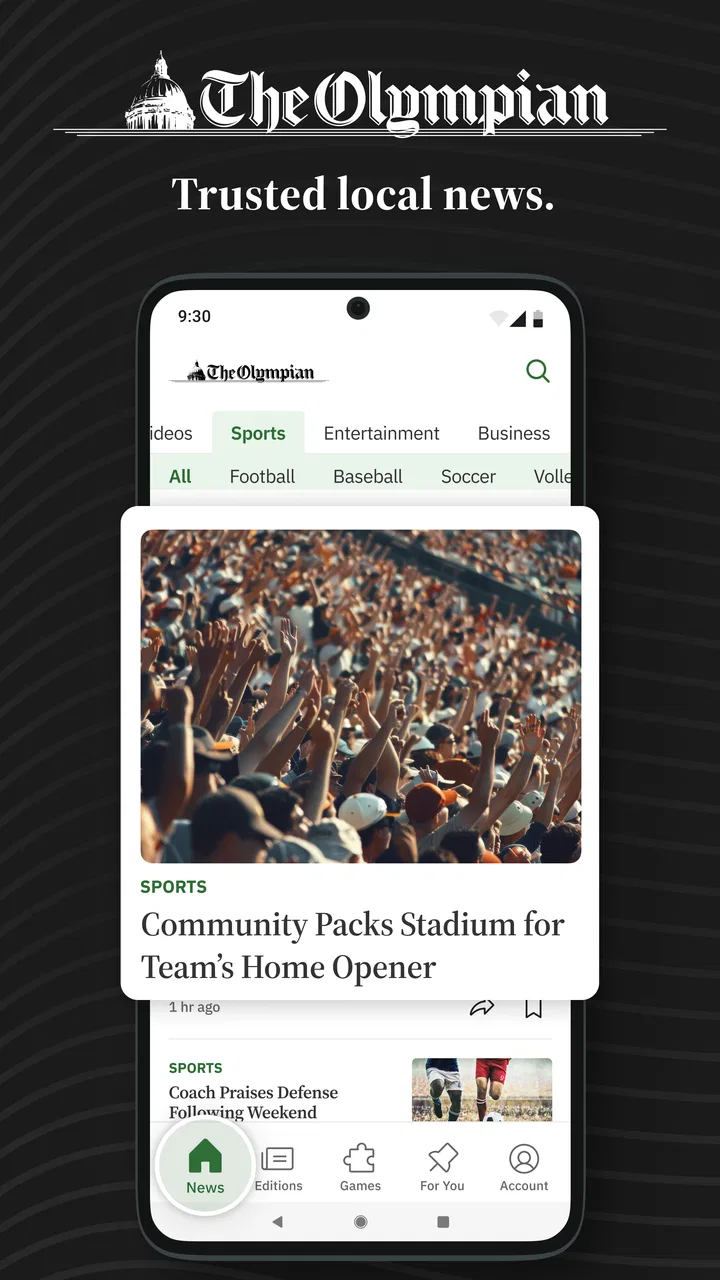
I spent time with The Olympian | Olympia WA News as a focused way to follow local reporting, and my first impression was that its value depends heavily on how closely your daily life is tied to Olympia and the surrounding Washington area. This is not trying to be a broad, everything-in-one-place news reader. It is a local news app from McClatchy, aimed at people who want nearby politics, business, weather, and sports in one place. That narrow focus is its biggest strength, but it also explains why it will feel limited to readers who mainly want national or international coverage.
The app is free to install, which makes it easy to try without committing money immediately. It is listed for Everyone 10+, runs on Android 8.0 or later, and the current release is version 11.1.16. Optional purchases range from $7.99 to $159.99 per item, so I would treat the free installation as an opportunity to explore the reading experience rather than assuming every part of the service is included without cost.
How I used The Olympian in a normal week
My most useful routine was simple: I opened the app once in the morning to scan the local headlines, returned around midday when I wanted a quick update, and checked it again when weather or community news became relevant. That rhythm suits a local publication better than constantly leaving notifications active. A local news app is most helpful when it gives you a dependable snapshot of what is changing nearby, not when it becomes another source of nonstop interruptions.
You May Also Like

 AccuWeather: Weather Radar
AccuWeather Review: A Quick, Clear Forecast for Everyday Decisions
For everyday plans, the best forecast is the one you can understand quickly. AccuWeather makes rain timing, radar, and local conditions easy to act on, with a few trade-offs.

 Hill Climb Racing
Why Hill Climb Racing Still Turns Crashes Into One More Run
A tiny car, a bumpy hill and one more upgrade: Hill Climb Racing keeps resurfacing because its simple chaos makes every near-miss feel personal.

 AliExpress - Shopping App
AliExpress Makes Global Shopping Feel Personal, but Shoppers Bear the Risk
AliExpress turns a global marketplace into a pocket-sized discovery engine. Its reach is useful, its shopping loop compelling, and its trade-offs easy to miss.

 Lords Mobile: Kingdom Wars
Lords Mobile Is a Kingdom-Building Routine, Not a Quick Match
A case-by-case verdict on the building, battles, device demands, and social commitments that make Lords Mobile rewarding for some players and exhausting for others.

 PDF Scanner app - TapScanner
TapScanner Makes Paperwork Easier to Capture, Check, and Share
TapScanner makes scanning with a phone feel less like a rescue operation and more like a dependable step in getting work done. Its capture tools are useful, though not flawless.

 Block Blast!
 Shows How Much a Puzzle Game Can Leave Out
A quiet grid game shows why puzzle players increasingly value instant clarity, repeatable skill and low-pressure play—and where the genre still needs to catch up.
More From Our News Desk
View All News


The home screen works best as a starting point rather than a complete reading plan. I looked for the stories most connected to immediate life in Olympia, then opened only the articles that seemed useful. Local politics and business coverage can matter even when the headline is not personally exciting, because decisions made nearby often affect roads, schools, public services, employment, and neighborhood development. The app’s concentration on Washington-local subjects gives those stories more space than they usually receive in a general news application.
Weather is another practical reason to keep it available. I would not use a newspaper app as my only source for urgent alerts, but it can add local context to a forecast. For example, before commuting or planning an outdoor activity, I could check the weather section alongside the latest local headlines instead of switching between a national news app and a separate forecast tool. That is a small convenience, but it makes the app feel more connected to the place it covers.
Sports coverage gives the app a different use case. Someone who follows local WA teams may appreciate having sports updates beside civic and business reporting, rather than relying on a national sports feed that overlooks regional stories. I found this combination more useful than it sounds: local sports can be a quick way to check the app during a spare moment, while the same session can lead to more substantial community reporting.
One habit I recommend is separating “scan” reading from “deep” reading. During a short break, I would browse headlines and read one or two brief items. Later, when I had more time, I would return to the stories that affected my work, family, commute, or community interests. This prevents the app from feeling like a stream that must be consumed all at once. It also makes the local emphasis work in its favor, because not every nearby story needs immediate attention.
The Olympian has an average rating of 2.9 from around 127 ratings, with 64 written reviews, and more than 10K installs. Those figures suggest a modest audience and a mixed reception rather than universal approval. I would not use the rating alone to reject it, because local usefulness is personal: a resident who needs Olympia reporting may find more value here than someone who wants a polished national news reader.
Settings I would check before relying on it
My first recommendation is to review notification controls before settling into a routine. News notifications can be useful for genuinely important local developments, but too many alerts quickly turn a focused publication into background noise. I prefer enabling only the kinds of alerts that help me act or understand what is happening nearby, then checking the app manually for everything else. If the available controls offer different levels of news delivery, start conservatively and increase them only when you know the alerts are useful.
It is also worth checking how the app handles access to articles and any account or subscription prompts. Since in-app purchases are available, a reader should pay attention to what happens after opening several stories. I would not begin a subscription casually from a single interesting article. Instead, I would use the free experience long enough to decide whether the coverage matches my regular needs, then consider a purchase only if the reading habit has become genuinely valuable.
Another practical check is text presentation. Local articles often contain names, meeting details, locations, and public information that are easier to understand when the screen is comfortable to read. If the app follows the device’s text or display settings, adjusting those before a long reading session can make a noticeable difference. I also prefer reading longer pieces on a stable connection and saving mobile data for quick headline checks, especially when I am away from home.
Privacy and permission prompts deserve the same attention as notification settings. I would grant only the access that clearly supports a feature I intend to use. A local news reader does not need to become deeply embedded in every part of my phone for me to benefit from its reporting. Taking a minute to read each prompt is a better approach than approving everything during installation and trying to undo it later.
Because the app supports Android 8.0 and newer, compatibility should be straightforward for many Android users, but I would still check available storage and update behavior on an older device. News applications can become frustrating when an aging phone struggles with loading pages, switching sections, or displaying media. If the app feels slow, testing it on a reliable Wi-Fi connection first helps distinguish a connection problem from a device or application issue.
Faster patterns for everyday reading
Experienced use is less about discovering a secret feature and more about building a repeatable pattern. I would place the app where it is easy to reach, open it at a consistent time, and use the first scan to decide what deserves attention. That is faster than opening it repeatedly without a purpose. For a local publication, consistency also helps me notice developing stories because I am comparing today’s coverage with what I saw earlier.
A useful shortcut is to begin with the section most relevant to the day. On a workday, that might be business or local government. Before a trip, weather may be the sensible first stop. During a school or community event, local reporting and sports may matter more. I would not treat the default order of stories as a command to read everything; I would use the app’s subject areas as a menu and choose based on what I need at that moment.
I also found value in reading beyond the headline when a story could affect a decision. Headlines are efficient, but local issues often depend on details such as timing, location, or the difference between a proposal and a final decision. My rule is simple: if an article might change my plans, spending, route, or opinion about a community issue, I read the full piece rather than relying on the first line.
For households, the app can support a quick shared routine. One person might scan politics and business, while another checks weather or sports, then the useful items can be discussed later. This is more realistic than expecting everyone to follow every category. It also helps avoid a common problem with news apps: collecting headlines without turning them into useful awareness.
Another efficient pattern is to use the app as a local layer alongside, not instead of, broader sources. I would use a general news app for national and international events, a dedicated weather service when conditions are urgent, and The Olympian for Olympia-area reporting. This division of labor reduces repetition. It also makes the local app’s purpose clearer: it fills a geographic gap rather than competing with every news service on the phone.
There is a trade-off here. A focused local feed can feel quieter than a national aggregator, especially on a slow news day. I consider that a benefit when I want less noise, but a weakness when I want constant updates. Readers who measure value by the number of headlines may prefer an aggregator. Readers who want nearby context may appreciate that the app does not need to bury local stories beneath worldwide trends.
Where the experience reaches its limits
The biggest limitation is scope. The app’s identity is tied to Olympia and local Washington coverage, so it is not the right primary source for someone who mainly follows international affairs, national markets, entertainment, or a different city. Installing it will not replace a broad news service. I would recommend skipping it if you rarely need Olympia-area information, because the narrow focus will make the app feel repetitive rather than useful.
The mixed rating also makes me cautious about treating it as a flawless reading experience. A 2.9 average is a signal to test the app personally, particularly if you care about smooth navigation or consistent access to articles. My advice is to judge it over several sessions instead of one opening: check the sections you actually need, see whether the article flow feels comfortable, and observe whether the free experience fits your expectations before considering an in-app purchase.
Paid access is another point where expectations matter. The app is free to download, but the presence of purchases means some readers may encounter a boundary between casual browsing and fuller access. I would decide in advance what kind of reader I am. If I only want occasional headlines, I would stay with the free portion and avoid assuming that every article is included. If I read local reporting frequently and value the publication, I would examine the purchase terms carefully before paying, especially because the listed purchase range extends from a relatively small amount to a much larger one.
I would also avoid depending on it as an emergency alert system. A newspaper app can provide valuable reporting about weather and breaking events, but urgent safety decisions call for official alerts and specialized services. The Olympian is better for understanding local developments and following coverage than for replacing every alert channel. That distinction is important for anyone expecting instant, comprehensive warnings.
Readers who want audio, video, extensive personalization, or a highly configurable feed may find the experience less satisfying than a large news platform designed around those features. I prefer not to assume that a local newspaper app should behave like a social feed or an aggregator. Its usefulness comes from editorial focus, and that focus naturally means fewer ways to customize the entire news universe.
Who gets the most value from it
I see the strongest fit for Olympia residents, people who work in the area, students and families with local responsibilities, and former residents who still care about Washington community news. It is particularly suitable for someone who wants a single place to check local politics, business, weather, and sports without searching multiple sites every morning.
It can also help newcomers learn the rhythm of a place. A person moving to Olympia may not yet know which local issues, businesses, teams, or weather patterns deserve attention. Regular reading provides context that a generic national app cannot provide. The benefit is not just knowing what happened; it is gradually learning which subjects affect daily life and which stories are part of longer-running community conversations.
On the other hand, I would steer away readers who want a completely free, all-purpose news replacement, people outside the coverage area, and users who dislike any possibility of subscription prompts. I would also recommend a dedicated weather app for anyone whose main reason for installing this is severe-weather monitoring. The Olympian can complement those tools, but it is not a substitute for every specialized service.
My verdict after building a routine around it
The Olympian | Olympia WA News is most convincing when treated as a local briefing tool, not as a universal news platform. I like the clarity of its purpose: open it when I want to know what is happening around Olympia, then move to broader or more specialized apps for everything outside that role. The combination of local government, business, weather, and sports gives it enough variety for repeat visits without losing its regional identity.
My recommendation is conditional but positive for the right reader. Try the free app, adjust notifications before they become distracting, test the sections you care about, and read long enough to decide whether the coverage fits your routine. Do not buy simply because you want one interesting article, and do not judge the app only by its modest rating if local reporting is genuinely important to you. The better question is whether it consistently helps you understand Olympia in a way your current news sources do not.
For me, the best workflow is a short morning scan, a deliberate return when a local story affects my plans, and a separate source for urgent alerts or wider news. That approach keeps the app useful without asking it to do too much. If your life is connected to Olympia, this focused approach can make The Olympian a practical daily companion. If it is not, a broader news reader will almost certainly be the better choice.
FAQs for The Olympian | Olympia WA News
01What is The Olympian | Olympia WA News app?
The Olympian | Olympia WA News app is designed for readers who want local coverage from Olympia and the surrounding South Sound area in Washington. It brings together breaking news, community updates, politics, education, sports, business, entertainment, weather, and other regional stories in a mobile-friendly format, helping users keep up with important developments without relying only on social media feeds.
02Is The Olympian app free to download and use?
The app can generally be downloaded without paying an installation fee, but access to all articles and premium content may depend on the publication’s subscription policy. Some stories may be available to everyone, while others can require a digital subscription or account. Before downloading, users should review the current in-app terms, subscription options, and any trial or renewal conditions.
03What type of news and content can I find in the app?
The Olympian focuses primarily on local and regional journalism, including Olympia-area government, public safety, schools, courts, local events, community issues, sports, business, and lifestyle coverage. The app may also provide breaking-news alerts, photo galleries, opinion content, and updates from nearby communities. Its main value is giving readers information that national news applications often overlook.
04Can I receive breaking-news notifications from The Olympian?
Depending on the version of the app and your device settings, The Olympian may send push notifications for breaking news, major local developments, weather-related events, and other important updates. Notifications can usually be enabled or disabled through the app or your phone’s system settings. If alerts seem excessive, users can customize permissions while keeping access to the main news feed.
05Does The Olympian app require an internet connection?
An internet connection is normally required to load new articles, images, videos, advertisements, and breaking-news updates. The app may retain recently viewed content temporarily, but it should not be treated as a complete offline reader. Performance can vary with mobile data coverage or Wi-Fi quality, so users traveling or dealing with limited connectivity should open important stories before going offline.
Pros
- Covers local Olympia news
- events
- politics
- and community updates in one place.
- Provides timely reporting focused on issues that directly affect Thurston County residents.
- Clean layout makes browsing headlines and opening full stories straightforward.
- Useful for readers who want a dedicated alternative to broader regional news apps.
- Helps users stay connected with local developments while away from home.
Cons
- Coverage is highly localized and may feel limited for readers outside the Olympia area.
- Some stories may require a subscription or account to access in full.
- Notification frequency can become distracting if many breaking updates are enabled.
- The app may offer fewer features than larger national news platforms.
- Content availability and update speed can vary depending on the news cycle.

The Olympian | Olympia WA News
Gallery